FSET
Structure Editor Series
FModel JSON Schema Editor
No more writing raw schema by hand, no programming tooling required

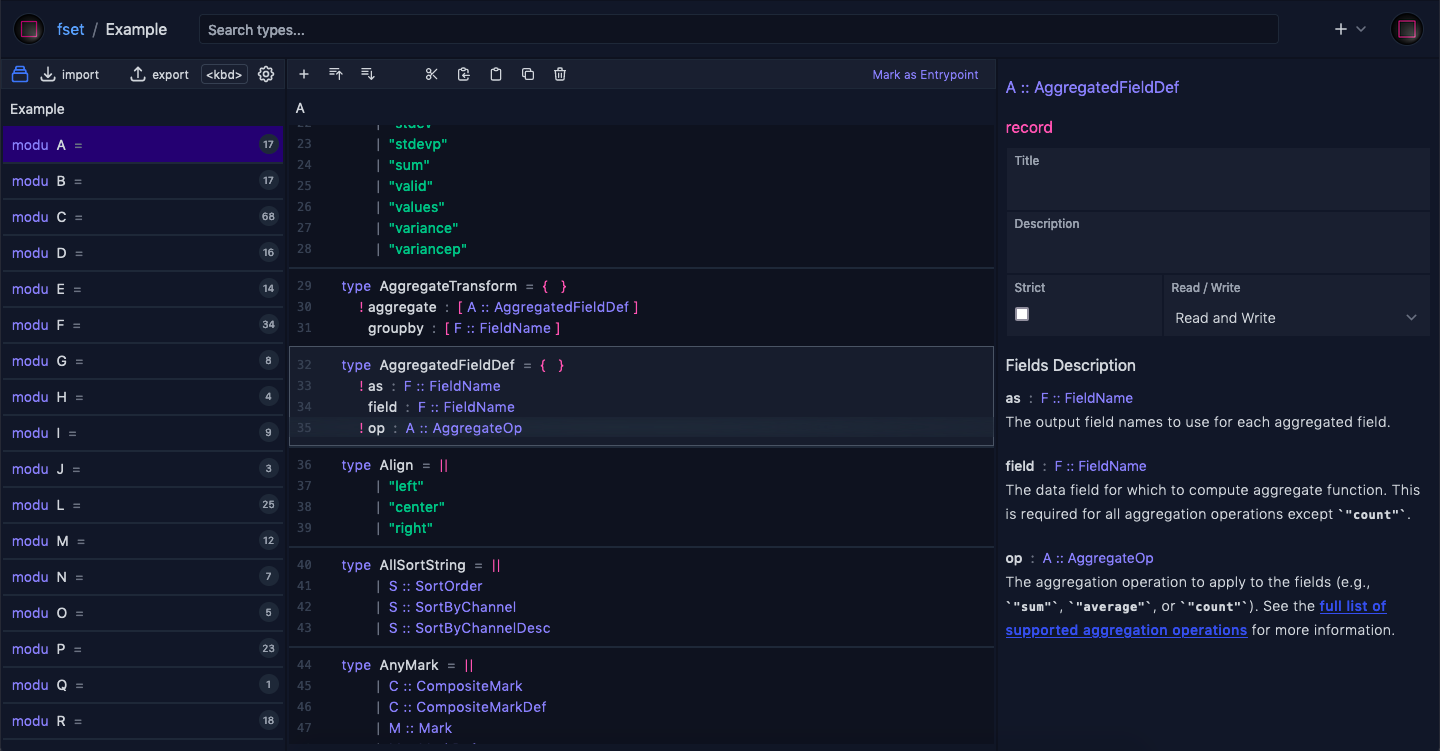
Example data from https://vega.github.io
Algebraic Data Type to JSON Schema
Think in terms of algebraic data type, export sane subset of json schema ( see all types )
-
{ "properties": { "field_a": { "type": "string" }, "field_b": { "maximum": 2147483647, "minimum": -2147483648, "type": "integer" } }, "type": "object" } -
{ "maxItems": 3, "minItems": 3, "prefixItems": [ { "const": "ok" }, { "$ref": "https://localhost/ExportDocs#/$defs/Record" }, { "properties": {}, "type": "object" } ], "type": "array" } -
{ "additionalProperties": { "$ref": "https://localhost/ExportDocs#/$defs/Record" }, "propertyNames": { "type": "string" }, "type": "object" } -
{ "items": { "$ref": "https://localhost/ExportDocs#/$defs/Record" }, "type": "array" } -
{ "properties": { "tag_a": { "properties": { "field_x": { "maximum": 255, "minimum": 0, "type": "integer" } }, "type": "object" }, "tag_b": { "properties": { "field_z": { "type": "string" } }, "type": "object" } }, "type": "object" } -
          {
  "enum": [
    "a",
    10,
    true,
    null
  ]
}
Constructing schema as productive as working in text editor
With essential keyboard commands ( see all commands )
- Add random schema to container types
- Shift + +
Add
- Cut selected schemas
- Cmd + x
- Copy selected schemas
- Cmd + c
- Paste
- Cmd + v
- Cancel copy or cut
- Escape
Move
- Clone selected schemas
-
Shift + Alt + ArrowUp
Shift + Alt + ArrowDown
Clone
- Reorder selected schemas up or down
-
Alt + ArrowUp
Alt + ArrowDown
Reorder
- Collapse selected schemas
- ArrowLeft
- Expand selected schemas
- ArrowRight
Collapse / Expand
- Delete selected schemas
- Delete
Delete
- Select a schema
-
ArrowUp
ArrowDown - Select a sibling schema
-
i
j - Select mutiple schemas
-
Shift + ArrowUp
Shift + ArrowDown - Select mutiple schema all the way
-
Shift + Cmd + ArrowUp
Shift + Cmd + ArrowDown - Select the first child
- Cmd + ArrowUp
- Select the last child
- Cmd + ArrowDown
- Select the root element of tree
- Home
- Select the last element of tree
- End
Select
- Enable key editing on a selected schema
- Enter
- Submit a changed key with current text input value
- Enter
- Cancel editing
- Escape
Rename key
- Enable type editing on a selected schema
- Shift + Enter
- Submit a changed type with current text input value
- Enter
- Cancel editing
- Escape
Change type
- For Windows, use Ctrl in place of Cmd
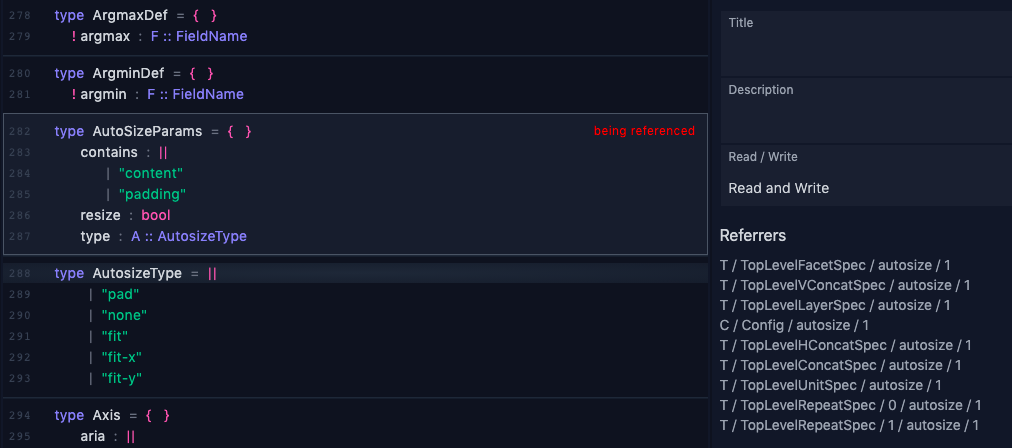
Reference tracking and integrity
Once a type is referenced, name and namespace updates automatically reflects on referrers
When there exists at least one referrer, the referenced type cannot be deleted, enforced at db-level
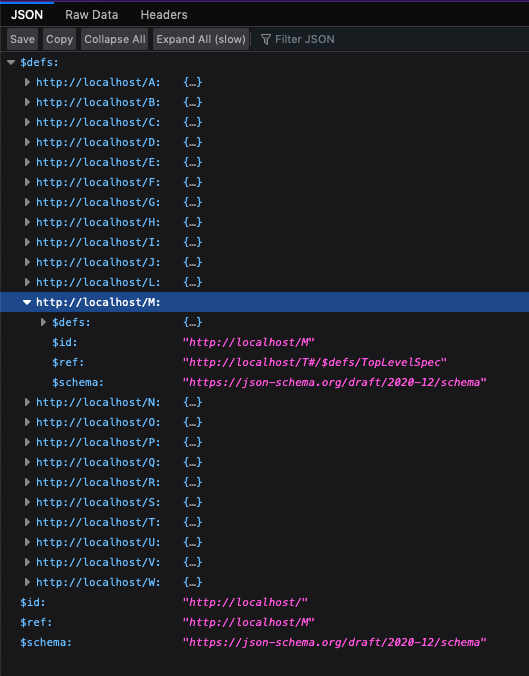
Export as a bundle
All modules are bundled as a single JSON Schema file based on Compound Documents Specification
Bundled schema is also a usable schema. Validator can validate the file without decomposing schema definitions into separate files.
AJV validator
Currently AJV needs one step of decomposing files
const Ajv2020 = require("ajv/dist/2020")
let ajv = new Ajv2020()

let programSch = require("./sch.json")

for (modu of Object.keys(programSch.$defs)) {
  ajv.addSchema(programSch.$defs[modu])
  delete programSch.$defs[modu]
}

const data = { data: { values: ["a", "b"] }, mark: "arc" }
let result = ajv.validate(programSch, data)

console.log(result)
console.log(ajv.errors)
Hyperjump validator
const hpj = require("@hyperjump/json-schema")
hpj
  .get("file://./sch.json")
  .then(schema => hpj.validate(schema, { data: { values: ["a", "b"] }, mark: "arc" }))
  .then(output => console.log(output))
Simply think each $id is a module and each of $defs is a type,
for more information see Export documentation